
From this years Bank of Scotland Fireworks Concert in Edinburgh, Scotland. See the rest of the set here.
Random Technology Musings

From this years Bank of Scotland Fireworks Concert in Edinburgh, Scotland. See the rest of the set here.

From this years Bank of Scotland Fireworks Concert in Edinburgh, Scotland. See the rest of the set here.

From this years Bank of Scotland Fireworks Concert in Edinburgh, Scotland. See the rest of the set here.

From this years Bank of Scotland Fireworks Concert in Edinburgh, Scotland. See the rest of the set here.

From this years Bank of Scotland Fireworks Concert in Edinburgh, Scotland. See the rest of the set here.

From this years Bank of Scotland Fireworks Concert in Edinburgh, Scotland. See the rest of the set here.

From this years Bank of Scotland Fireworks Concert in Edinburgh, Scotland. See the rest of the set here.
From this years Bank of Scotland Fireworks Concert in Edinburgh, Scotland. See the rest of the set here.
Google today launched a new browser, called Chrome.
And you can get it from www.google.com/chrome
Its lightweight, refreshing and has a few nice features I’ve been looking for Mozilla to implement in FF. Namely that you can move tabs between windows. And it has a spellchecker built in (I’m too lazy to install THAT FF plugin). And a privacy mode ( why on earth one would want to use it is beyond me). And its based on Webkit, like Safari.
Some screenshots:
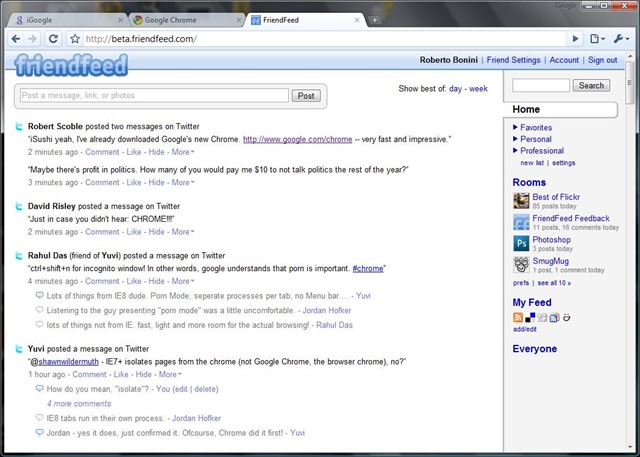

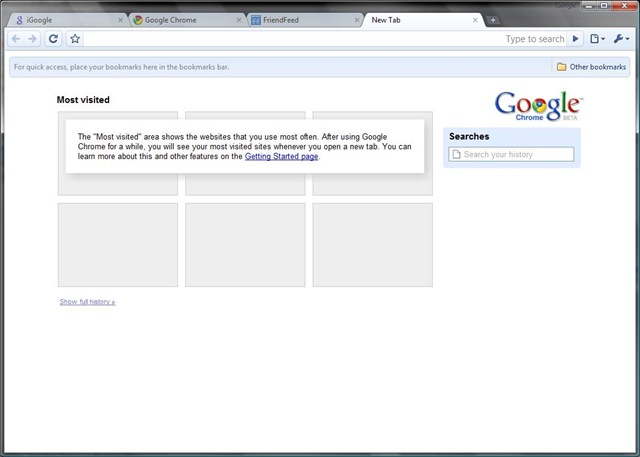
Now thats as far as I’ve got with using the new browser.
Its already good enough for me to consider making it my default browser.
The Friendfeed bookmarklet works (although it detects that I’m using Safari).
There is no Delicious plugin yet (critical to me I can’t imagine not having it).
And Firebug would be nice as well – it would make developing with yet another browser slightly easier.
Robert Scoble has reported over on friendfeed that Google properties appear to be faster on Chrome ( not sure abut that yet).
And Yuvi, of statbot.com, reports that some Sliverlight apps load, but the heavy ones hang.
I’m betting that Microsoft offices are a touch louder than usual.
Lets see what happens here.

This picture was taken using WinDirStat to image the drive. Great utility, by the way. Its part of my Software Keychain now.
See that yellow area over there? Its 3.5Gbs of space that are used, but not accessible via Exploder and thus the Windows API.
Before you ask, I already tried RootkitRevealer from SysInternals, but it doesn’t work on Vista.
It was 63Gbs yesterday. Here’s what I did:
Then I decided that if I restore from a Windows Home Server backup, the unknown space shouldn’t be there as its effectively invisible to the Backup service at the time of making a backup.
Which I did. After booting up, it didn’t work.
However, this morning chkdsk started as part of the boot sequence, no idea why. And the hole in my hard drive is gone reduced.
Whew. I was contemplating a complete rebuild of my laptop.
Out of curiosity I ran WinDirStat on my Desktop.
Here’s what I got:
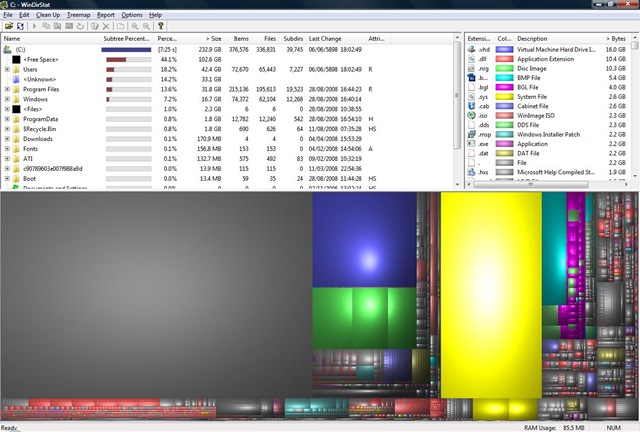
Again, there’s a 30Gb hole in the hard drive.
I ran chkdsk.exe and got a slightly tidier picture, but with the 30Gb hole still there.
Looks like I’m going to have to restore it from WHS as well.
 Random Musings
You must be logged in to post a comment.