Vista Desktop Manager

Seriously, you have to ask yourself why Microsoft didn’t think of this:

[via Scott Hanselman]

I think its a testament to the legions of Windows developers the world over who wont take Redmond lack of design inspiration for an answer (compared to an unnamed Computer Company).

Get it here. I am so downloading it.

It also shows how much Microsoft left out of Vista (presumably under pressure to RTM it before it was ready).

Earth to WinFS. Where are you????????? 

Windows Home Server UK Retail (Updated)

Well. I was about to go on buy the WHS OEM and lo and behold Novatech had sold out. 43 are expected in on 25 September.

I’m not in the mood to wait that long so I headed over to amazon.co.uk ( everyone’s favorite online retailer) and still nothing there.  Annoying. Very, very Annoying.  I figure amazon has more clout than Novatech and could get its hands on a nice pile of packs. There is not even a place holder page. So Amazon had better gets its act together.

I headed over to ebuyer.com. As of this writing 18 are on hand. For £40 more. I wont relate the invective now streaming through my mind. Well…

Anyone know where else I can get this without giving an arm and a leg?

Update: Blue Solutions have 16 coming in this week. I’ve already ordered. Thanks Philip for the tip.

Update 2 (27/09/07): Blue Solutions have already sold all their stock. I’m told they’ll be shipping at the beginning of next week. Which means I’ll finally have my hands on the WHS RTM next week.

Multi- Gigabyte File Copy Operations

Copying more than one gigabyte in one operation is tedious, frustrating and agonizingly slow. Not that there is all that much you can do.

Scott Allen was having a little bit of difficulty so I’ thought I’d help a little.

Scott Hansellman has a post on 3 utilities you can use to copy files without using the windows explorer.

First, Robocopy. If you have XP or Windows Server you can easily get this in the Resource Kits. If you have Vista, it’s already in your path. That’s always nice. It’s Robust, indeed (hence, Robocopy) but it’s legendarily unforgiving

Second, for repeatable jobs, I love SyncBackSE. It’s $30, but there is a free version with less features available. SyncBack is option-ful and literally moves nearly every important piece of data in my house around weekly.

Last, but certainly not least, XXCOPY. It’s huge. Epic even. It’s even got a nice windows progress bar that pops out of the DOS Box. The Technical Reference is comprehensive to say the least. Here’s a summary of the features. It’ll sync directories, maintain short names, qualify by date/time, copy security info.

I’ve used Robocopy. The GUI frontend is next to useless (either that, or I’m doing something wrong).

I’ve yet to try the other two.

Hope this helps someone.

Windows Home Server and SageTv Update

( You’ll catch the previous installment here)

Well, after carefully looking at the problem that I originally thought had to do with SageTv, I’ve come to the conclusion that it most defiantly isn’t. It seems to be a problem inherent to WHS (to do with opening backup images). So you can rest easy. this should be fixed in the RTM release, but I can’t be sure.

The next thing is finding a backup time so that SageTv will play nicely with WHS and find my PC’s switched on to backup. Still working on that. Its most probably going to be early in the morning.

I created a network share in the console and told SageTv to dump store all its recordings there.

Overall, it’s great.  Having the ability to have TV on my PC is great. I have BBC News 24 running in a window above the system tray – its way better than a news ticker.

Recording is great. I really dig the  intelligent recording functionality – no more missed ER episodes. I tested it with my second favorite US Comedy after friends – Scrubs. You might want to fiddle around with the Video Codec under Detailed setup. The default SageTv codec was,well, dogs vomit. Since I have Intervideo WinDVD installed locally, I chose their codec and  it was perfect playback. I’ll have to look around the forums to see if there is another fix.

Funnily enough watching the video files was impossible with Windows Media Player or Real player before switching codec, but perfect afterwards. I’m not superstitious so I’ll write that off to chance 🙂 .

The Youtube thing failed to play the files for some reason. And the weather, though it got the info, was displayed horribly.

And if you do buy a license, you’ll need a Media Centre license.

Thinking about Facebook

1279612562_037da79269

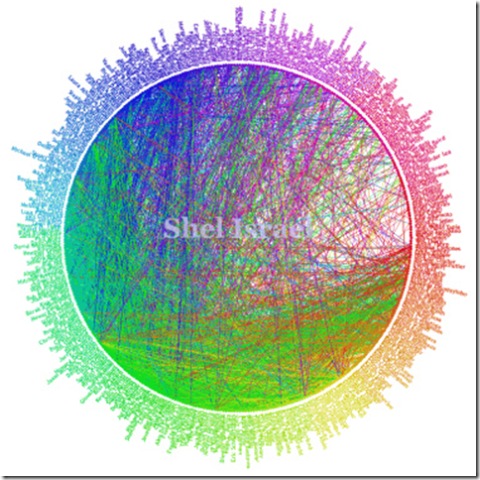
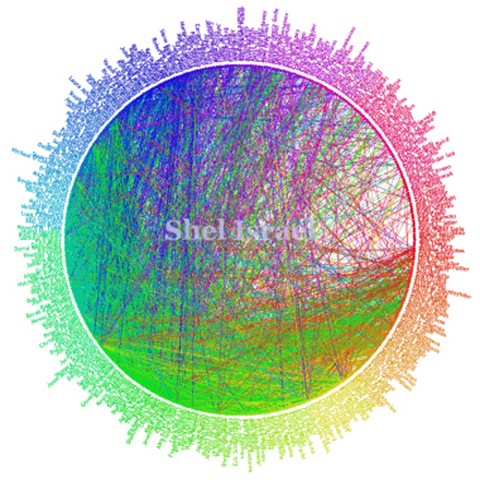
Above is Shel Isreal’s Friendwheel of his Facebook Contacts . In the interests of disclosure, I’m not on it. In fact I’m not even on Facebook. And I’m exploring why in this post.

The above picture shows a true social network, pardon the term for a minute. Most people who know Shel know others in his contact list as well.

There are a few hundred contacts here, and it is a reasonable number of people to know and be in contact with. See the difference between being like Scoble who has 5000 people who happen to read his blog and having a shortlist of  “real” people that you know personally and do business with?

If you sit down and consider this for a moment, you’ll see the logic of that statement. We all have  lists of contacts, in Outlook, Messenger, in our Mobile Phones or perhaps written in a phonebook. They are there because we know these people personally and communicate with them often.

Now I would not have the email address and phone number of my readers ( assuming I have regulars who read my blog) on my mobile in Messenger or in Outlook ( actually Google Mail, now).

Why should it be any different on FaceBook???? Why do people add contacts that they’ve never met in person?

 (And Scoble, by the very nature of his work, needs to keep a pulse on the Valley – thus his large contact list. I was just using him as an example)

Now I DO concede the point that this is exactly what happens in business – people exchange cards on a whim in the hope of acquiring business or services from someone else.

Which leads us to the next question? What do you characterize Facebook as? Is Shel’s Facebook Contacts made up mostly of froends, ore mostly of people in the same line of work ( I guess its the latter)? In other words, is Facebook a social of a business contact site?

I ask since Facebook was originally a students only site.

So why am I not on Facebook? Simple. I don’t need to be.

PS. I addition to the above, where does Facebook add value? If its business-oriented how does it do this? If its Socially-oriented, how?

iPhone Accelerometer Tricks

Another iPhone story landed in Google Reader (via TUAW):

today, we’ve got hot off the press news about what they’re up to with the iPhone’s accelerometer. Erling has found a way to pull the raw data off of the iPhone’s LIS302DL, a 3-axis accelerometer that’s currently used for noting when you’re looking at Safari vertically or horizontally. A few hackers, like the folks behind Tilt, have been able to catch the iPhone noting the change itself, but this is the first time, I believe, that we’re seeing live data come right off of the unit at a high sampling rate, enabling Erling to pull off the magic seen above.


Source code is available here.

PodTech:iPhone: What We Know, What We Don\’t Know

I Quote:

From iPhoneDevCamp, this presentation by Christopher Allen (slides available). Christopher covers the various aspects of using HTML, CSS, JavaScript, different media formats, and then the human interaction methods to keep in mind when developing for the iPhone. Also, check out the community site iPhoneWebDev.

[podtech content=http://media1.podtech.net/media/2007/08/PID_012381/Podtech_iphone_known_and_unknowns.flv&postURL=http://www.podtech.net/home/3990/iphone-what-we-know-what-we-dont-know&totalTime=1987000&breadcrumb=09db1b9d189b4fd8a8892e90837044ae]

Clean Up

Norton 2007 took an age and half to complete last night. Took 3 hours and found 1 million files. Whew!!!

Which inspired much frustration since getting work done while Norton is running is rather like sitting in a dentists waiting room 🙂 .

It reminded me of this post from Scott Hanselmann where he suggests the following clean up operations:

Check out your own systems…drop out to a command prompt (cmd.exe) and do:

  • cd %tmp% and cd %temp% – You’ll usually end up in C:\DOCUME~1\username\LOCALS~1\Temp.
    • At this point, I like to do the equivalent of a deltree and go up a directory and:
      • cd ..
      • rd Temp /s (it usually won’t manage to delete the whole dir. Someone will have a file open and the final directory deletion will fail)
      • md Temp (in case it was deleted.)
  • Everything in %windir%\temp – There’s lots of Perfmon counters in here, so you won’t be able to delete everything. Often you can del *.* and anything that shouldn’t be deleted is currently open.
  • If you are a developer, and have developed ASP.NET for years/months, clean up %windir%\Microsoft.NET\Framework\ <VERSION> \Temporary ASP.NET Files. I had 4 dozens sites in here.

Tidy up, my friends.

And I’m taking a look at Add/Remove programs to see if there’s anything I don’t need.

Just to get Nortons to finnish faster….

Windows Home Server Help!!!!!

Knew it would come to this…

The server has been running at 90% CPU for a few days.

Investigation using Process Explorer  tells me that the culprit is the Interrupt process that is chewing up 50% to 70% of the CPU ( DEMigrator.exe was the other suspected culprit) . As you can imagine, this has a wonderful effect on Server response times and watching SageTV 🙂 .

I figured that the Hauppanuge  Nova 500-T  board that I use for sageTV  (over the network using thier add-in) was throwing all the interrupts ( since its not officially supported on WHS, right?).

 I update the driver off the Hauppanuge’s website. And Reboot.  No change.

I physically remove the PCI-board from the the server. Still no change.

Nothing else has changed on the server(save for the fact its now in danger of blowing up from overheating).

So help please!!!!!!!


PS I cross-posted this over at the WHS Forums