AutoStitch

Now, I don’t know why i waited so long to install this iPhone app, but this app is seriously cool.

What better time to try this than on holiday (in the Dominican Republic, no less)?? (more on the holiday in another post)

So, here are the pics:

IMG_0752 IMG_0762 IMG_0776 IMG_0788 IMG_0799 IMG_0800  IMG_0836 IMG_0845 IMG_0835

IMG_0806

(click to see the source pic)

Worked fairly well. Its not foolproof and you will see some ghosting  where the images have not lines up completely.  I may redo the pano’s with Photoshop and do a comparison.

Movement does tend to screw things up, but not always.

Taking those pano’s of the beach proves to be a tad difficult. If the sky is completely blue, there’s not much to differentiate one pic from another.

This is just another of example of the iPhone continuing to surprise.

So before I join the AutoStitch praising echo chamber, I’ll leave it here.

(PS. At £1.19 it is a steal)

iTunes Extras

I bought Night at the Museum 2 last night purely to test iTunes Extras.

Naturally, since we’ve had these special features on DVD’s since, well, forever, it wasn’t the most mind blowing experience in the world.

I have to say I have seen some DVD menu’s that look, frankly, a lot better.  But I suspect that it will improve as publishers get to grips with the full capability of the format.

It’s worth noting that iTunes Extras is actually 2 files. The movie itself and the Extras. For a moment I’d though I bought the movie twice. But rest easy.

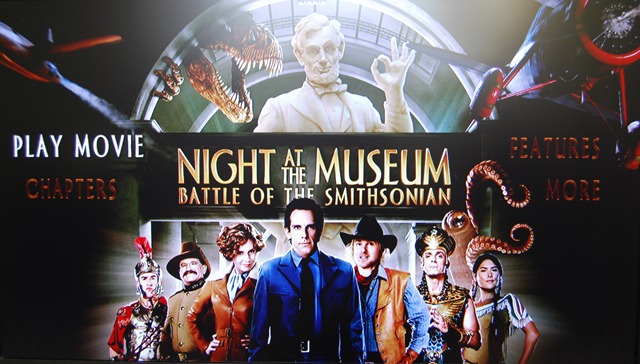
Here are pictures from my Apple TV.

DSC_0001

As you can see, its not strikingly different from a DVD menu.


DSC_0003

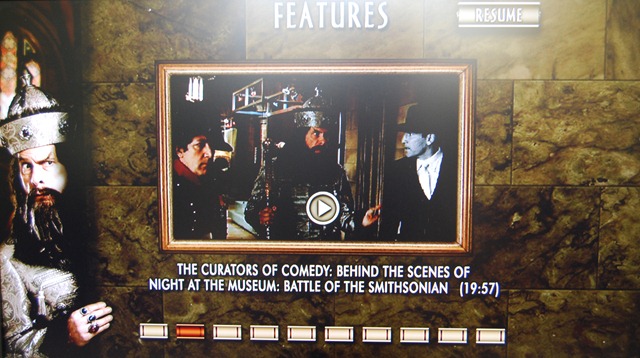
Again, not a new feature. Nothing noteworthy here, move along.

 DSC_0005

One nice feature is the above menu, allowing you to go to the extra Screen instead of playing the movie.

 DSC_0007

I must say, it is nice to have special features without having to get the DVD. I hope more and more movie get this, and not just the new releases (Though I did notice that the original The Wizard of Oz movie has Extras – see last picture). I suppose that this is one area where Apple’s grab for the living room puts it in sharp contrast to Windows Media Centre. I don’t think WMC will do the special features if you copy and paste the Video_Ts folder.

DSC_0009

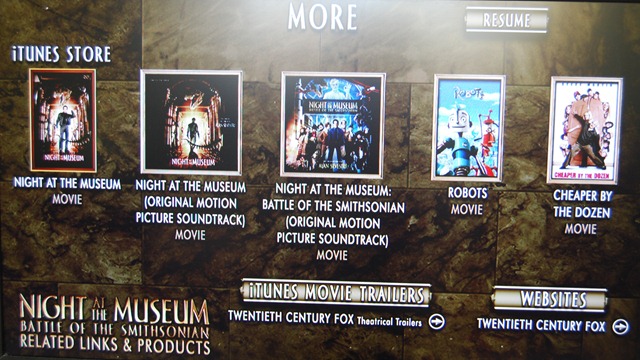
This is also interesting: a shameless attempt to sell us more stuff. A link to iTunes movie trailers and a link to Twentieth Century Fox. It would be cool if this were updated on a regular basis with other stuff. It would be a good place to put special offers. Such as 50% off the soundtrack because you bought the movie (so you have you buy the movie and get the soundtrack from this screen).

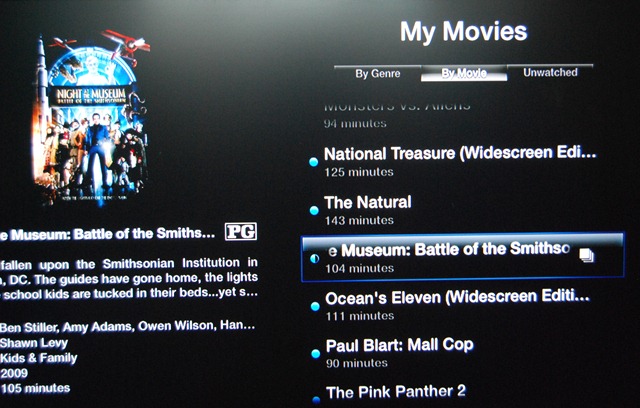
The movies with Extra have this little icon next to them to distinguish them from the rest of the “ordinary” movies:

DSC_0011


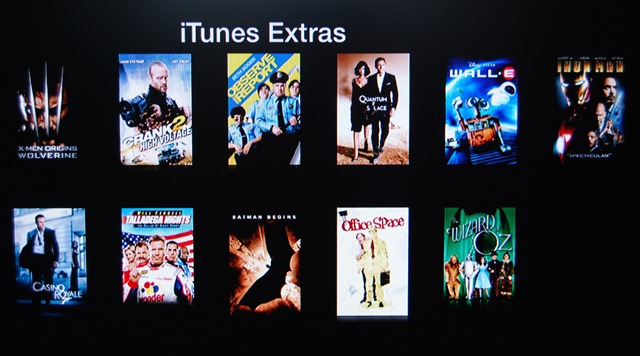
Finally, here are the available movies with iTunes Extras:

 DSC_0012

I have two of those movies: Walle-e and Iron Man, both bought from iTunes when they were released. But iTunes Extras weren’t available then. A Endgaget post seemed to suggest that only if you already bought these with Extras could you re-download them to work with Apple Tv 3.0.2. So I’m not sure hat the deal is. It would be very sad if i could not get Extras for them.

Finally, it would be interesting if someone figured out how to translate from DVD menus to iTunes Extras.

PS And yes, some pictures are not properly centred and are thus utter crap. Sue me. 🙂

Apple’s App Store ( or NoStore, the way things are going)

Apple’s draconian App store approval process (more like rejection process, currently) needs a share up. Here are a few suggestions to stream line the process.

  1. Reviewers need to have accountability. We have heard of one reviewer accepting and app, but another reviewer rejecting it. Reviewers need to manage an account made up of a number of apps, ensuring that one reviewer handles an app throughout its lifecycle on the store.
  2. There should be two kinds of updates – bug fixes that need to be pushed out STAT and upgrades that add features. Splitting updates up like this is the equivalent of adding a car pool lane. Bug fixes go out immediately, but new features are still reviewed.
  3. This has been suggested before, but I’ll say it again: trusted developers should be given carte blanche.

Managing 100k apps on the store is NOT easy. Apple’s tenacious grip on every single app is unsustainable. It has to give up some of that top make the app store work.

To be clear, I love the app store. I trust Apple that the apps I install aren’t going to brick my phone. Or that hidden features are going to leave me embarrassed when others borrow the phone. That Apps will be well designed and though out.

Apple is trying to preserve the design aesthetic and vision that Steve Jobs had. That is why originally Apple pushed developers to build web apps. And indeed, there are still some web apps around that I use frequently. The Google Reader iPhone page, the Friendfeed iPhone page, etc. Apple never intended that this be the case. The App store mess marrs the otherwise pristine reputation of the iPhone. It is a perpetual thorn in Steve Jobs’ side.

I hope it gets sorted, soon.

How the Zune will save the Music Industry (or why I want one)

I must say, upfront, that i think the Zune HD is an excellent device. While admitantly below par when compared to the iPod Touch or the iPhone.

There are still weak points, like the mobile browser being IE6 based ( IE6 has more holes than Swiss cheese).

But the Zune is not simply pure hardware. The Zune Pass you can purchase ($15??) gives you essentially unlimited music (plus 10 free tracks a month that are yours to keep forever).

That is the key to the Zune succeeding big in the world. Think of the implications for your music listening habits.

The Zune will scan your music library and download tracks that complement it. Automatically. No human input required. No Passwords, nothing. Nada. This is great for music discovery, not to mention indie bands and labels whose work may not be as well known.

Andy Ihnatko  made the point on last weeks episode of Macbreak Weekly that instead of simply being restricted to 30 second previews per track of an album, Zune Pass allows you to just download and buy the whole album. I had that situation just the other day. I was trying to figure out if I should get the soundtrack to 500 Days of Summer (great movie BTW, but I digress) from iTunes. If I had Zune Pass, I could get the whole thing and only then decide if I like it. I could then make that my 10 free tracks for the month.

Talking of which, that episode is a must listen since it centres on the Zune HD.

Also available on the Zune are TV programs and movies, although the catalogue is far smaller than the one on iTunes. I’m not totally sure whether this is included in the Zune Pass, but lets assume for a minute, that it is. Since it should be.

See at the moment I’ve bought 3 seasons of The West Wing on iTunes. All of which were a perfectly reasonable £19.99 each. Now season 4 is £34.99. I’d like to buy Season 4, really. But that is too darn expensive. I can rent a few movies every weekend for a month for that price. If I had a Zune Pass, this would be a different story completely. You see i really DON’T want 60 West Wing episodes taking up space on my Hard Drives. Apple can have them back. But I do want to continue watching the series. A Zune Pass would let me do both of those things.

I’m sure that both Apple and the Record Labels and the Studios would love for me to continue spending money. But as long as prices are that high, my money isn’t going anywhere. What would you rather have, a burst of income once in a blue moon, or a steady, albeit lower than usual, income stream??? Multiply that by  millions of millions of subscribers and you’re sitting on a friggin’ fortune.

As I said on Twitter earlier, make it easier for customer to spend their hard-earned cash on things they actually want to buy. I want to buy music and that 4th season of the West Wing, really, but i want a Zune Pass. Or an iTunes Pass. Something.

It goes without saying that this will deter many MANY (illegal) casual file sharers. The benefits of a Zune pass are extraordinarily compelling.

I suspect that the music industry  and the studios are dragging its heels on this. Let the Zune go global, and let iTunes do something similar.

Fans every will thank you.

PS. Apple. I want wireless syncing with my iPhone. Now.

Apple v Google

Apple’s rejection out-of-hand of the Google Voice App has the interwebs all a flutter with rumours and speculation, not to mention fury as well.

Although I’m in the Uk and therefore locked out of a GV account until its released here, I’m looking forward to using it soon. Its no accident that I’m especially looking forward to using it with my iPhone, or i was in any case.

The reason why this is causing such an uproar is that the target market for GV users just happens to overlap rather significantly with that of the iPhone.

The fact is though, Google Apps for Business does not get enough attention these days. In fact, there has been a spate of articles on how Google Apps for Domain falls down when it comes to being a valid option for businesses.  My hope is that Google integrates GV into the suite, giving clear value and functionality for the business user (read: me).

I envision a number of use cases where this could work.

  • Imagine, via GV, a Google Wave, document, spreadsheet or presentation open magically when you answer the call. Not only are you talking to the person, you can collaborate in real time)especially rue of Google Wave).
  • Google Contacts will give caller identity a whole new meaning, even if the callers aren’t already in our address book.
  • In fact, Since this is really a domain oriented service, imagine being able to ring contact.yourdomain.com and getting through to reception????

The fact is that Google is positioning Google Apps for Domain to be its integrated business offering.

Microsoft has Office Communication server, which requires built in telephone networks. But has none of the integration opportunities that Google Apps for Domain has.

In fact, it would be worth the money.

If true, the fact is that Apple is obstructing Google’s business plans. No wonder the FCC and the net-neutrality lobby is up in arms.

And if this eWeek article has any truth to it, its because Apple wants to built a similar service for Mobile Me. Its not too far fetched to imagine, and makes logical sense.

Depending on Apples implementation of it (keeping 9n mind the debut of Mobile Me), it may just tempt people away from Google Apps for Domain with GV.

But apple, seriously, if you are going to start acting like this to pre-empt the competition, remember one thing: Out-Innovate Google and you’ve won. It would be a shame for Apple to start acting like Microsoft in the 1990’s.

And what if it was AT&T???? that i can’t answer. But AT&T’s reputation is so battered and bruised with iPhone users, that they may all jump ship to Android and Pre. And even more are going to be jailbreaking to get the app.

This is a state of affairs that benefits no one.

See. I like my iPhone. A lot. Every day I discover some new feature or app that makes it even better. When el Jobso gave his blessing to this device, you can see why. And they have thrown that all away with this one stupid decision.

Or have they??

Apple have a very definite reason for doing this.

I can’t wait to see what it is.

Apple Tv – How It Fits In…..

So i got me an Apple Tv last week, more on impulse than as part of any rational thought, as such things go.  i was planning on getting one, but only later this summer.

But such is life….

So its sitting there on my Tv cupboard, replacing the DVD player that does not work any way…. surrounded by my impressive collection of DVDs. Which do me no good sitting on the shelf instead of on my Apple Tv hard drive….

The solution to this is, of course to back up your DVDs to disk. I use DVDShrink 3.2 (the last version ever released), or DVD Decryptor. both of which leave you with a folder full of .vob files ( usually  a VIDEO_TS folder).  This will strip copy protection from the files.

These files do us no good. Apple Tv will not take .vob files. But, and I must admit my irritation here, Windows Media Center does ( serves me right for being a turncoat 🙂 ).

So the next step is to use Handbrake ( for Mac and Windows) to take your backed up files and turn them into Apple Tv readable m4v or mp4 files. These files can be read across iTunes, Apple Tv, and your video capable iPods and iPhones.

Now this conversion process is eyewateringly long. I’ve resurrected an old laptop ( Intel Celeron M 1.4 ghz, 256Mb RAM). The average time is about 10 hours – at 4.3 frames per second. My 3ghz Pentium 4 with 2Gb RAM is actually only slightly faster, confusingly enough. in any case, i need the desktop and no the laptop, so the old and busted laptop is doing the conversions.

The 10 hours conversion does not bother me much. I set it up to go in the morning, and its usually almost done my the time I’m back home in the evening.

All this media is being stored on my Windows Home Server, with a normal install of iTunes being the server. I’m not sure if Firefly Media Server will work with Apple TV, but if it is, I’ll install that instead.

Finally, I use MetaX 1.0 for Windows (theres a Mac version, too) to add in metadata – pic, sypnosis, direcots, actor, etc…. This is amazingly useful and saved me loads of time….

Now my music library is full of duplicates (my fault for leaving the “Copy to iTunes library” option on when i import stuff), So I’m slowly going through it and deleting the duplicates (and saving space at the same time).

My Photos are spread across a hundred folders, so i have to get some sort of organisation going so i can sync them to Apple Tv and show them off on my Tv 🙂 .

I have SageTv running on the same server. Their conversion process for Apple Tv takes just as long and won’t work – sigh. If I could just get Sage to save the files in m4v format, i could sync my recorded tv directly to my apple Tv without any (hours long) conversion in between.

Update 14-10-09: The latest version of SageTv does indeed convert to m4v perfectly. Works wonders, but the time is still rather long. I reccomend turning off everything, defrags, AV runs (and temporarily, backups) if you have a long queue of files to convert. Right now I have 16 files to convert all of which are about 2- 3 hours long. Usually two a day. So for this week, I have turned off the defrag passes. SageTv actuall scales its CPU usage remarkabely well in these situations.

If i could, i’d have uploaded everything to EC2 for encoding 🙂

Thanks to the guys over on Friendfeed for help with this.

Dvd backup software thread: here.

Metadata thread: here.

Apple and Steve Jobs

So its all over the internet. Its covered both my FriendFeed and Twiter streams. Scoble already has a post out.

TechCrunch is on it.

Engadget is on it.

Dave Winer said it for all of us:

Dave Winerdavewiner steve jobs steve jobs steve jobs steve jobs steve jobs steve jobs steve jobs steve jobs steve jobs steve jobs steve jobs steve jobs 29 minutes ago from web

Steve Jobs is stepping down. Albeit for 5 months.

On the one hand since something changed between the time he issued THAT press release, it is a course for concern. Especially worrying is that according to the BBC, his health issues are more serious than first imagined.

On the other hand, my non-tech-savvy mother got an iPhone today. How is that related? Apple does not stop making money, selling iPhone, Macs or Apple Tv’s.Apple is more than Steve Jobs. Just because Steve Jobs is not at the helm, does NOT mean anything will interrupt apples string of successes. Since Jobs took Apple over, he has imbued it with his vison, his persona, his drive, his ambition. It has worked for Apple and will continue working.

Work is the largest obstacle to recovery. I know that for experience. So i applaud Steve for taking the time off to recover fully and completely. I send him and his family my good wishes.

Hopefully, the Apple faithful will see him once again in June.

iPhone UI Rant

I present to you my dear reader the first in an infinite series of posts in which I rant.

Now my iPhone ( which I got about 4 weeks ago) is great. I love it.

But every now an against there are a few things that crop up and bite me.

Now I’m a big believer in the UI. the UI makes or breaks a program or device. And the Ui needs to steer a fine line between restricting the options avaliable and leaving its users howling. Or opening too many options that can end up breaking the program (one cannot know the precise combination of large numbers of inputs an their effects in a large number of different situations).

So I understand that. But I’m asking for Apple to enable a few more options in the settings

  • Apple: the battery on your device sucks. Unless you turn off 3G, you battery life goes down the toilet. So heres what I’m asking you to do ( since this is your problem in the first place). Allow me to toggle a setting such that 3G is only turned on for Safari or other internet applications and turned off when I quit. Do the same with Wi-Fi. And since there is no MMS or video calling, no one is gonna need it anyway for calling and texts anyway.
  • Your keyboard sucks too. But your software dosen’t. I’ve even taken notes for a two hour lecture on my iPhone and its worked out well enough. Just let me have pervasive tilting so that I can type on the larger keys.
  • Mobile Safari crashes on me with astounding regularity. When an app crashes, at least do it gracefully. A black screen or the home screen does not cut it. Do something like your arch rivals in Redmond do and let your users know that you have collected the error data so  that you can work on it. Its amazingly calming (the flow of updates on the first Tuesday of every month provides that psychic calm to Jerry Sienfeld). And offer to restart the app too. Since you don’t get crashes on OSX very often, we’ll give you some time to get it right.
  • The appearance of an unified mailbox would be nice. Its a pain having to go all the way back to the accounts tab to swap accounts.
  • Do not tell me that syncing with a new exchange server wipes my current calendar and contacts. Seriously Apple this is a major mistake. And has multiple level of fail. This is 2008 and people are going to have more than one calender. Get used to it. And people have hundreds of contacts. Who is going to take responsibility if they mysteriously disappear?
  • If a Youtube video is unavailable tell me, don’t take me to the Youtube mobile search page. Is that so difficult?

Now don’t get me wrong, the UI is brilliant. It answers all my other gripes about other phones.

Even my mother (who would have been frightened of a Mechanical Turk) can use it. She required no instruction whatsoever and is as happy as a clam using it.

Apple, history has handed you on a golden platter the chance to completely redefine what people do with handheld devices forever.

Use it.

Apple’s Saving Grace – I’m Not Sure

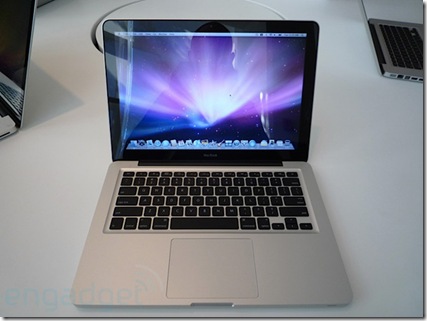
 apple-new-macbook-hands-on-top

That’s the new Macbook on top (via Engadget).

We still have the old one around, for the reduced priced of $999 ( or £719).

I’m wondering how much of a price difference there is between this one ( the $999/£719) and your Typical Dell.

13” Macbook (£719- base):

  • 2.1GHz
  • Intel Core 2 Duo
  • 1GB DDR2 Memory
  • 120GB hard drive1
  • Intel GMA X3100 graphics

The Dell Inspiron 1525 from dell.co.uk (£399 – no customisations):

  • Intel® Pentium Dual Core Processor T3200 (2.0 GHz, 667 MHz FSB, 1 MB L2 cache)
  • 15.4" Wide Screen WXGA (1280 x 800) Display with TrueLife™
  • Integrated Intel® Graphic Media Accelerator X3100
  • 2048MB 667MHz Dual Channel DDR2 SDRAM [2×1024]
  • 250GB (5400RPM) SATA Hard Drive

Ok. Here is the same 2.0 GHz Inspiron 1525 from Dell.com ($699):

  • Intel® Core™ 2 Duo T5800 (2.0GHz/800Mhz FSB/2MB cache)
  • Glossy, widescreen 15.4 inch display (1280×800)
  • 3GB2 Shared Dual Channel DDR2 at 667MHz
  • Size: 320GB3 SATA Hard Drive (5400RPM)
  • Intel Graphics Media Accelerator X3100

That’s a £310/$200 difference in price.

Of course such a comparison doesn’t take into account the MacBooks multi-Touch trackpad or Apple’s legendary Customer Service ( Dell Uk is good, too), or Vista Media Centre that is bundled With Vista Home Premium, or Dell’s cheap colour upgrade.

There’s a gap. But is it Worth It?

iPods, Touch Screens and the Future

With the release of the 2.0 software update for the Touch, Apple has made a mockery of every smartphone on the market as well as the DS and the PSP.

Short of an iPhone, it is quite simply the indispensable gadget to have on you at all times.

I have no Exchange servers to connect to and haven’t tried MobileMe. But I have been in the App Store. And boy, have been buying.

I’m a Crash Bandicoot fan from the dark old days of the PS1, so the first game I got was Crash Bandicoot Nitro Kart Racing 3D. And it does not disappoint. The tilt controllers make it a compelling game, as well as a challenging one. And one you will strive to master. Just play it standing still as the tilt sensors are sensitive. 

iPint is hilarious. For a free app its brilliant. I’ve been generating laughs with it all weekend.

I installed DutchTab as well. Thought I’d get a chance to use it over the weekend, but it didn’t present itself. Calculating how to split the tab is difficult so I usually don’t bother, just leave an unusually large tip. This should change that.

However, not all the applications in App Store are iTouch compatible. GPS and Camera apps naturally will only work on an iPhone.

This makes the iPhone 3G a really compelling device to get.

There has been lots of discussion over on FriendFeed about how this changes the nature of personal computing ( see here, here and here for a selection). The basic idea is that it changes personal computing in a big way.

I’d also say that the idea of ubiquitous computing comes closer as well. With a device like the iPod Touch and the iPhone, we take computing power where ever we need it – it seamlessly integrates with our lives. We take the web with us as well, fulfilling the dream of constantly connected devices. Push email is not  a new idea – Blackberry owners have had it for years. But Apple had taken it to a whole new level. Using the touch screen, ur interactions with our devices become so much more natural and compelling. A keyboard and mouse reminds you of what you are using, a touch screen uses the human mediums of touch, feel and gestures to communicate.

This is where computing is going in the next few years. I prefer using my Touch for web browsing because of the touch screen – its feels more natural. Windows & will have touch screen built in, and Microsoft Surface is already capitalising on the naturalness of the touch screen to re-definite the way we interact with computers – and redefine computers themselves.

As science fiction writer William Gibson said:

The future is here. It’s just not evenly distributed yet