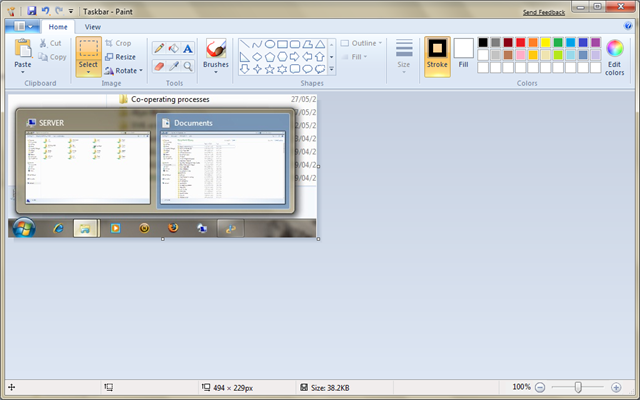
Holiday Reading List 2012

As is becoming something of a tradition here, I’m posting my reading list.

In a change from past years, I’m going completely electronic this year, taking along only my iPad Mini. No dead tree books his year.

As always tho, there is the usual problem of kindle vs iBooks. There is a non zero number of books that are on one platform but not the other. And, annoyingly, there is also a non zero number that are not on either of them.

(Perhaps I shouldn’t complain – digitising the collected literary output of humanity is a rather large endeavour).

Anyway.
Non Fiction

  1. The Rise and Decline of Nations – Mancur Olson – Kindle
  2. Enigma – Hugh Sebag-Montifiore – iBooks
  3. Secrets of the Conquorer – Stuart Prebble – iBooks
  4. The Signal and the Noise – Nate Silver – iBooks
  5. In Gods Name – David Yallop – iBooks

Fiction

  1. Threat Vector – Tom Clancy – IBooks
  2. The Hunt For Red October – Tom Clancy – iBooks

Worth a mention

  1. The Great North Road – Peter F Hamilton – iBooks
  2. Starks War – Jack Campbell – iBooks

Now that I carry a substantial library of ebooks around with me in the palm of my hand, a set reading list is mostly out dated. Being able to read almost any book at a whim. And to do so comfortably using my iPad Mini makes such a difference 🙂

The Mini is a dream to use, BTW. Its light, and an excellent size for reading. And just small enough to type on without too many spelling errors. It is an excellent alternative to the kindle as a reading device.

(Ps watch the Instagram category on the blog for some holiday snaps)

In response to a N900 review

Theres a nice comparison of the iPhone versus the N900 here.

I’m not sold. So I thought I’d repost my comment here (read the post first):

Good review.
1. How does the N900 support very Flash heavy sites?? Can you play Flash games etc??

2.How do N900 apps compare to iPhone ones?? How is the fit and finish?? Do UI designers aspire to the Apple-esque UI paradigm that has made iPhone apps so successful (and so user-friendly)?? Is there the same range of apps that the iPhone app store has?? the ones that are completely off the wall brilliant??

3.I agree that Contacts need to be updated soon, but I don’t like the inclusion of all services contact lists. There are apps that will work with your contacts. And if you use Gmail Mobile Sync, youc an manage your contacts on line and have that synced to you phone.

4.I’d be very glad to be rid of iTunes. My itunes library got borked and its a pain to rebuild and re sync etc. Not the first time either. However, I’m not sure moving to something thats even worse at syncing is a good  idea. While there are no apps for Windows Media devices, there are certainly apps for Sonos and AppleTv/iTunes for the iPhone. If you are all Apple devices in the home, this is no problem.

5. I’m not sure I like the idea of all in one messaging. I typically like to keep the real and online worlds separate. Can you turn it off?? Customise what services appear?? Custimise whose updates from online appear??

6. Yes, the iPhone camera needs an upgrade. And yes the shareing options are limited. But you completely ignore the role of apps here. there is a breathtakign range of apps that work with your photos, adding effects, cropping, panoramas etc. Apps will share you photos on twitter, facebook, posterous, etc.

Finally, I think we need to see what will be in iPhone 4. There will be a new camera no doubt.

Push notifications are an acceptable alternative to multitasking, but i’d take performance and battery life over real multitasking any day of the week.

And i argue that once ap developers have figured out how to bring Push to thier social networkign apps, we will see some amazing integration. But even now, there are loads of social apps in the store.

I’m not sure you’ve sold me on the N900.

iTunes Extras

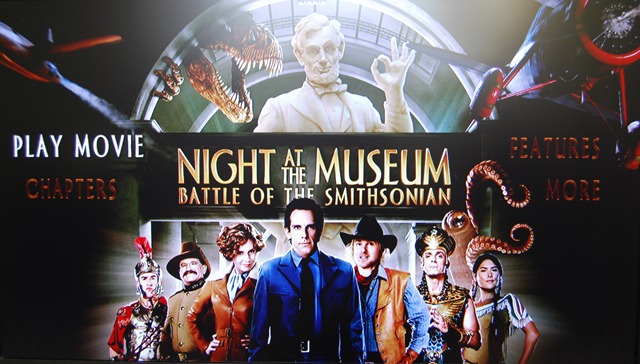
I bought Night at the Museum 2 last night purely to test iTunes Extras.

Naturally, since we’ve had these special features on DVD’s since, well, forever, it wasn’t the most mind blowing experience in the world.

I have to say I have seen some DVD menu’s that look, frankly, a lot better.  But I suspect that it will improve as publishers get to grips with the full capability of the format.

It’s worth noting that iTunes Extras is actually 2 files. The movie itself and the Extras. For a moment I’d though I bought the movie twice. But rest easy.

Here are pictures from my Apple TV.

DSC_0001

As you can see, its not strikingly different from a DVD menu.


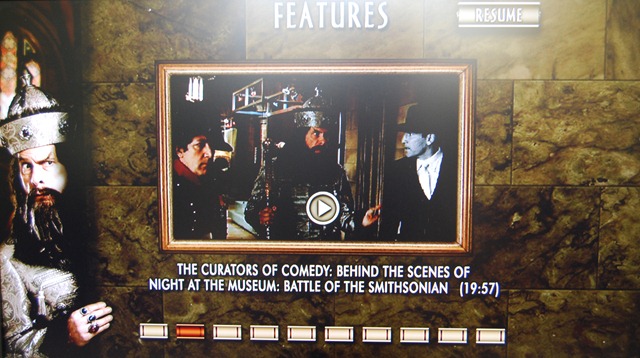
DSC_0003

Again, not a new feature. Nothing noteworthy here, move along.

 DSC_0005

One nice feature is the above menu, allowing you to go to the extra Screen instead of playing the movie.

 DSC_0007

I must say, it is nice to have special features without having to get the DVD. I hope more and more movie get this, and not just the new releases (Though I did notice that the original The Wizard of Oz movie has Extras – see last picture). I suppose that this is one area where Apple’s grab for the living room puts it in sharp contrast to Windows Media Centre. I don’t think WMC will do the special features if you copy and paste the Video_Ts folder.

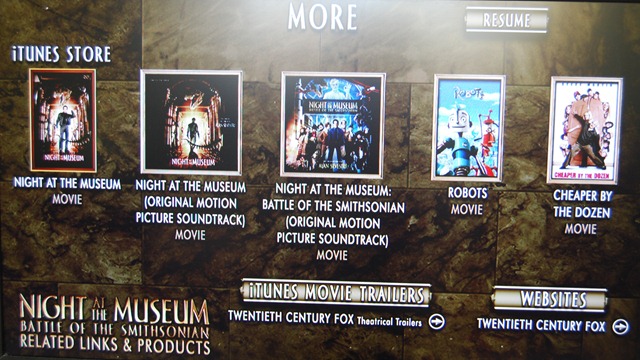
DSC_0009

This is also interesting: a shameless attempt to sell us more stuff. A link to iTunes movie trailers and a link to Twentieth Century Fox. It would be cool if this were updated on a regular basis with other stuff. It would be a good place to put special offers. Such as 50% off the soundtrack because you bought the movie (so you have you buy the movie and get the soundtrack from this screen).

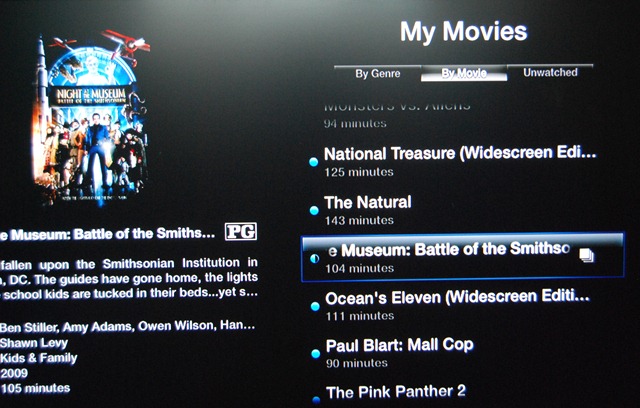
The movies with Extra have this little icon next to them to distinguish them from the rest of the “ordinary” movies:

DSC_0011


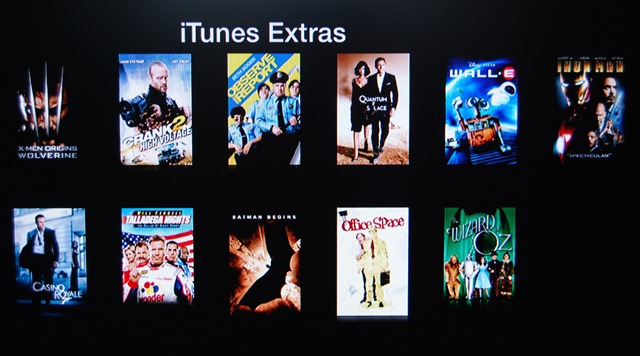
Finally, here are the available movies with iTunes Extras:

 DSC_0012

I have two of those movies: Walle-e and Iron Man, both bought from iTunes when they were released. But iTunes Extras weren’t available then. A Endgaget post seemed to suggest that only if you already bought these with Extras could you re-download them to work with Apple Tv 3.0.2. So I’m not sure hat the deal is. It would be very sad if i could not get Extras for them.

Finally, it would be interesting if someone figured out how to translate from DVD menus to iTunes Extras.

PS And yes, some pictures are not properly centred and are thus utter crap. Sue me. 🙂

How the Zune will save the Music Industry (or why I want one)

I must say, upfront, that i think the Zune HD is an excellent device. While admitantly below par when compared to the iPod Touch or the iPhone.

There are still weak points, like the mobile browser being IE6 based ( IE6 has more holes than Swiss cheese).

But the Zune is not simply pure hardware. The Zune Pass you can purchase ($15??) gives you essentially unlimited music (plus 10 free tracks a month that are yours to keep forever).

That is the key to the Zune succeeding big in the world. Think of the implications for your music listening habits.

The Zune will scan your music library and download tracks that complement it. Automatically. No human input required. No Passwords, nothing. Nada. This is great for music discovery, not to mention indie bands and labels whose work may not be as well known.

Andy Ihnatko  made the point on last weeks episode of Macbreak Weekly that instead of simply being restricted to 30 second previews per track of an album, Zune Pass allows you to just download and buy the whole album. I had that situation just the other day. I was trying to figure out if I should get the soundtrack to 500 Days of Summer (great movie BTW, but I digress) from iTunes. If I had Zune Pass, I could get the whole thing and only then decide if I like it. I could then make that my 10 free tracks for the month.

Talking of which, that episode is a must listen since it centres on the Zune HD.

Also available on the Zune are TV programs and movies, although the catalogue is far smaller than the one on iTunes. I’m not totally sure whether this is included in the Zune Pass, but lets assume for a minute, that it is. Since it should be.

See at the moment I’ve bought 3 seasons of The West Wing on iTunes. All of which were a perfectly reasonable £19.99 each. Now season 4 is £34.99. I’d like to buy Season 4, really. But that is too darn expensive. I can rent a few movies every weekend for a month for that price. If I had a Zune Pass, this would be a different story completely. You see i really DON’T want 60 West Wing episodes taking up space on my Hard Drives. Apple can have them back. But I do want to continue watching the series. A Zune Pass would let me do both of those things.

I’m sure that both Apple and the Record Labels and the Studios would love for me to continue spending money. But as long as prices are that high, my money isn’t going anywhere. What would you rather have, a burst of income once in a blue moon, or a steady, albeit lower than usual, income stream??? Multiply that by  millions of millions of subscribers and you’re sitting on a friggin’ fortune.

As I said on Twitter earlier, make it easier for customer to spend their hard-earned cash on things they actually want to buy. I want to buy music and that 4th season of the West Wing, really, but i want a Zune Pass. Or an iTunes Pass. Something.

It goes without saying that this will deter many MANY (illegal) casual file sharers. The benefits of a Zune pass are extraordinarily compelling.

I suspect that the music industry  and the studios are dragging its heels on this. Let the Zune go global, and let iTunes do something similar.

Fans every will thank you.

PS. Apple. I want wireless syncing with my iPhone. Now.

Apple Tv – How It Fits In…..

So i got me an Apple Tv last week, more on impulse than as part of any rational thought, as such things go.  i was planning on getting one, but only later this summer.

But such is life….

So its sitting there on my Tv cupboard, replacing the DVD player that does not work any way…. surrounded by my impressive collection of DVDs. Which do me no good sitting on the shelf instead of on my Apple Tv hard drive….

The solution to this is, of course to back up your DVDs to disk. I use DVDShrink 3.2 (the last version ever released), or DVD Decryptor. both of which leave you with a folder full of .vob files ( usually  a VIDEO_TS folder).  This will strip copy protection from the files.

These files do us no good. Apple Tv will not take .vob files. But, and I must admit my irritation here, Windows Media Center does ( serves me right for being a turncoat 🙂 ).

So the next step is to use Handbrake ( for Mac and Windows) to take your backed up files and turn them into Apple Tv readable m4v or mp4 files. These files can be read across iTunes, Apple Tv, and your video capable iPods and iPhones.

Now this conversion process is eyewateringly long. I’ve resurrected an old laptop ( Intel Celeron M 1.4 ghz, 256Mb RAM). The average time is about 10 hours – at 4.3 frames per second. My 3ghz Pentium 4 with 2Gb RAM is actually only slightly faster, confusingly enough. in any case, i need the desktop and no the laptop, so the old and busted laptop is doing the conversions.

The 10 hours conversion does not bother me much. I set it up to go in the morning, and its usually almost done my the time I’m back home in the evening.

All this media is being stored on my Windows Home Server, with a normal install of iTunes being the server. I’m not sure if Firefly Media Server will work with Apple TV, but if it is, I’ll install that instead.

Finally, I use MetaX 1.0 for Windows (theres a Mac version, too) to add in metadata – pic, sypnosis, direcots, actor, etc…. This is amazingly useful and saved me loads of time….

Now my music library is full of duplicates (my fault for leaving the “Copy to iTunes library” option on when i import stuff), So I’m slowly going through it and deleting the duplicates (and saving space at the same time).

My Photos are spread across a hundred folders, so i have to get some sort of organisation going so i can sync them to Apple Tv and show them off on my Tv 🙂 .

I have SageTv running on the same server. Their conversion process for Apple Tv takes just as long and won’t work – sigh. If I could just get Sage to save the files in m4v format, i could sync my recorded tv directly to my apple Tv without any (hours long) conversion in between.

Update 14-10-09: The latest version of SageTv does indeed convert to m4v perfectly. Works wonders, but the time is still rather long. I reccomend turning off everything, defrags, AV runs (and temporarily, backups) if you have a long queue of files to convert. Right now I have 16 files to convert all of which are about 2- 3 hours long. Usually two a day. So for this week, I have turned off the defrag passes. SageTv actuall scales its CPU usage remarkabely well in these situations.

If i could, i’d have uploaded everything to EC2 for encoding 🙂

Thanks to the guys over on Friendfeed for help with this.

Dvd backup software thread: here.

Metadata thread: here.

Windows 7 (Part 1)

One question: is it the bees knees??? Yes it is.

At this point every other review is going wax philosophic about how great Windows 7 is, how its what Vista was supposed to be. And then go on to debate whether it should be a Service Pack instead.

I’m going to try avoid all those issues. But I will say this. Microsoft think that it should stand alone as it own OS, and that’s how I’m going to review it.

Its running on a Dell Inspiron 6400, 1.72Ghz dual Core with 1gb RAM.

First off. the problems I’ve had with it have been few and far between.

Now, every time a close the lid and then re-open it, the screen refuses to display the screen again. Its really annoying and requires a restart. The fix is simple – change the power options to do nothing when I close the lid. And it works like a charm now.

Second, IE8 RC wont install here. Don’t ask. But and earlier version of IE8 is installed. No solution as far as I know and I use Firefox anyway.

Third, iTunes runs quite well. Its faster. but not much else. however, it hangs on exit when its saving the iTunes library. And there’s not much choice here but to kill it with task manager.

You can get around this problem, perversely, by running iTunes as an Administrator. I suspect that the UAC tweaks are  the culprit here.

Fourth, every now and again 7 will hang at the shutdown screen (when it says “Shutting down”). This is annoying because you’re not quite sure what’s going on.

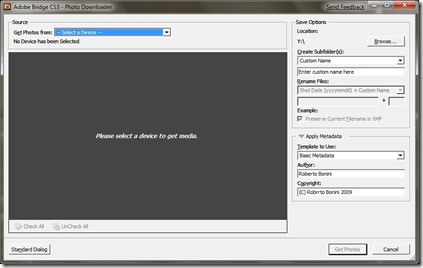
Finally, and i don’t know why this happens, the Adobe Bridge Photo Downloader no longer has the “Convert to DNG” option.
Adobe

Before everyone leaves comment, I have installed all the updates delivered to me. And Adobe Bridge tells me its version 2.1.1.9. Since I convert everything to DNG on import, this is really a disaster.

Most programs, actually run in Windows 7 quite well. I did have a problem with Windows Live and Visual Studio 2008 SP1 but hey, all installed eventually.

The Taskbar

7 is done right in a number of ways. The taskbar is particularly important as its the primary focus of any interaction with the OS.

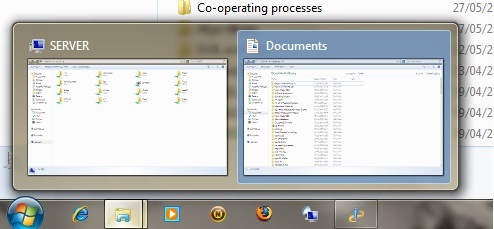
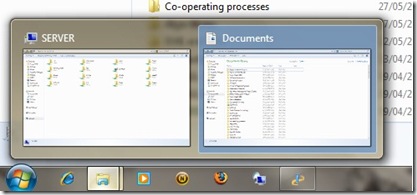
On first use, telling the difference between pinned and active icons can be difficult. Its a very subtle UI cue there.
Taskbar


The Icons and notifications are better and never become too cluttered. Handling overflow is done particularly well.

At the bottom right of the taskbar, a little area sits on its own, separated from the rest of the taskbar. Clicking on this shows the desktop. However its not immediately obvious what this is for.

The taskbar itself stays transparent even when viewing a maximised window. I’m not sure about this. There is an argument to keeping the Vista behaviour of a solid taskbar when working with a maximised window.

The Start Menu

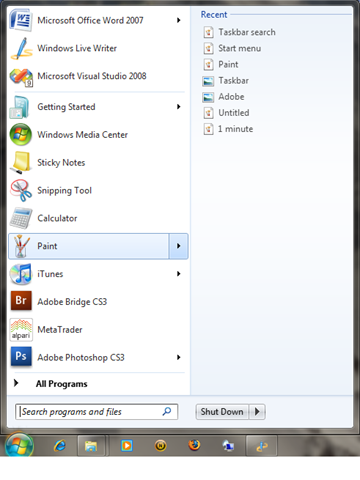
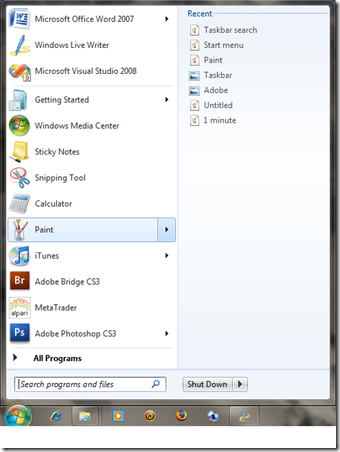
The Start Menu isn’t visually different from Vista’s. There are subtle UI cues however, that give away further functionality.

Programs that have been used have arrows next to them. Clicking on this arrow give the documents recently used by this program. the time saving nature of this cannot be over stated.
Taskbar2

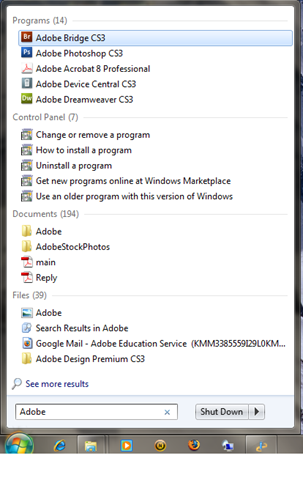
The search box now says “Search programs and files” instead of start search. Its more obvious about the function of the search box, and encourages users to use it more. This is one of my favourite features of the Vista-esque UI ( i.e since Vista)
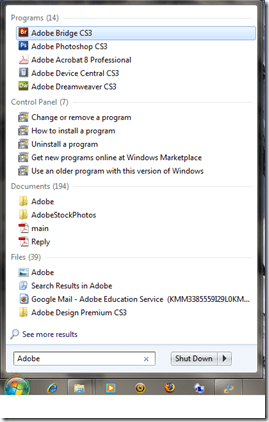
Taskbar search

The Shutdown button is quite blunt as to what it does, differing from Vista’s Off icon. It is possible to change the functionality of these buttons in the power settings and this always confused me. text makes it so much easier to distinguish  what’s going on.

Paint and Wordpad

Both Paint and Wordpad have the new Ribbon toolbar. this makes them much better as applications.
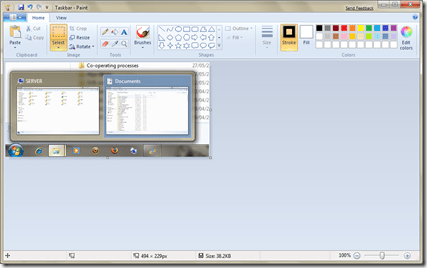
Paint

I tend to use paint quite a lot for situations when its not worth firing up Photoshop or Illustrator. Even in the few times I’ve used it, the Ribbon toolbar makes it so much better to use. and its not crappy old paint anymore either.

A few nice additions include the ability to Zoom right out ( right click to zoom out). This jumped out at me as being new.

Edit: Jordan Hofker pointed out on Freindfeed that its Wordpad not note pad. Many Thanks.

Personalization

The changing backgrounds have been around for ages in third party programs or as part of the Power Toys stuff. however this time its baked right into the OS.

The themes feature is very powerful. Of course I can still remember how Microsoft offered Plus for windows 95. I was too much of a cheapskate to get it, but the idea of a theme has been around for a while.

This marks the first time (that i can remember, anyway) that themes are actually files you can share rather than an amorphous collection of settings.

Whereas before (pre-vista, anyway) settings and dialogs had to be navigated with a map ( literally), important dialogs such as for the mouse pointers, screen resolutions, screen saver and sounds are literally a click away. This will encourage people to get more out of their computers (even the not so computer literate ones).

More later this week as i continue exploring Windows 7.

iTunes is Acting Up

image

Only a fraction of my music shows up as being music?????

I didn’t have any photos ( though 2 video podcasts from TWIP) on there at all.

Same on my iPod Touch.

I belive this happened on holiday when I downloaded a few podcasts and synced them. My music library is stored at home so I didn’t have the full library with me when I synced on holiday.

Is this some sort of bug???

I’ve no idea what has happened?? Syncing it does not work!!!

Should I try a restore??